In the fast-paced world of CNC machining, Fanuc controllers are renowned for their precision and reliability. However, a common hurdle for technicians and machine operators is accessing password-protected Programmable Machine Controller (PMC) files, which secure critical ladder logic programs. If you’ve lost or forgotten the password to your Fanuc ladder, don’t worry—CNC Machine Tool Spares has you covered with a free, efficient solution. This guide explains how to recover your Fanuc PMC passwords using a trusted online tool at Industry Four, helping you maintain your CNC machines with ease. Whether you’re searching for “Fanuc PMC password recovery free” or “how to unlock Fanuc ladder password,” read on to streamline your workflow.
What Are Fanuc PMC Files and Why Are They Password-Protected?
The Fanuc PMC (Programmable Machine Controller) manages ladder logic programming in Fanuc CNC systems, controlling machine sequences, I/O operations, and custom functions. Manufacturers often lock these files with passwords to protect proprietary code and prevent unauthorized changes. Losing access to these passwords can disrupt CNC machine maintenance, troubleshooting, or upgrades, leading to costly downtime. At CNC Machine Tool Spares, we understand the importance of quick solutions to keep your operations running smoothly.
Why Choose a Free Online Fanuc PMC Password Recovery Tool?
Using the free online tool at Industry Four offers significant advantages for CNC professionals:
- No Software Downloads: Access the tool directly from your browser, avoiding compatibility issues.
- Fast Results: Upload your .PMC file and recover passwords in seconds.
- Cost-Free: Save on expensive service calls or software purchases.
- Secure Processing: Reputable tools ensure your data is processed safely without storage.
- Wide Compatibility: Supports various Fanuc models, including 0i, 16i, and 30i series.
This solution is perfect for legitimate users needing to regain access for maintenance or optimization, complementing the high-quality CNC spare parts available at CNC Machine Tool Spares.
Step-by-Step Guide to Recover Fanuc PMC Passwords
Follow these simple steps to download your .PMC file, use the online tool at Industry Four, and unlock your Fanuc ladder for editing or troubleshooting.
Step 1: Export the .PMC File from Your Fanuc Controller
- Power up your CNC machine and access the PMC menu, typically located in the system’s diagnostic or programming section.
- Export the ladder program as a .PMC file using the controller’s built-in functions.
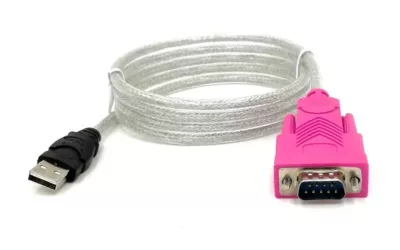
- Transfer the file to your computer via USB or RS-232/Ethernet interface.
- Verify the file (e.g., “PMC.PMC”) is intact and not corrupted.
Tip: Check your Fanuc controller manual for model-specific export steps. For example, Fanuc 0i or 30i series may require entering edit mode first. Need replacement parts for your controller? Browse our Fanuc controller repair components at CNC Machine Tool Spares.
Step 2: Upload the .PMC File to the Online Tool
Visit the trusted Fanuc PMC password recovery tool at Industry Four, designed for ease of use:
- Navigate to the upload section on the website.
- Click “Choose File” or drag-and-drop your .PMC file into the provided area.
- Submit the file for processing—the tool will extract all embedded passwords instantly.
No registration or payment is required, making it a hassle-free solution for busy workshops.
Step 3: Use the Recovered Passwords
After processing, the tool at Industry Four will display all recovered passwords, including read-only, edit, or master passwords, depending on your file.
- On the Controller: Input the password in the PMC menu to unlock the ladder for direct editing or viewing.
- In Fanuc Ladder Software: Import the .PMC file into software like Fanuc Ladder-III, using the password to access and modify the program.
Note: Always back up your original files before editing. Ensure compliance with legal and contractual obligations. For reliable CNC replacement parts to support your Fanuc system, visit CNC Machine Tool Spares.
Benefits of Recovering Fanuc PMC Passwords
Using this free tool via Industry Four empowers you to:
- Minimize downtime in your CNC operations.
- Perform in-house updates without external support.
- Troubleshoot issues faster by accessing ladder logic.
- Save costs on service contracts or third-party tools.
Combined with our premium CNC spare parts UK inventory at CNC Machine Tool Spares, this solution ensures your Fanuc systems stay operational.
Best Practices and Considerations
Password recovery should only be performed on systems you own or are authorized to access. Unauthorized use may violate intellectual property or warranty terms. If unsure, consult a Fanuc representative. For future security, store passwords securely and consider advanced protection options. Need spare parts for your Fanuc controller? Explore our range of Fanuc controller repair components at CNC Machine Tool Spares.